Luggage, Equipment & Navigation
Sharing Your Live Location With Someone at Home on a Long Solo Ride: Setting It Up So They Know Where You Are
On this page
You are about to ride a rental bike a long way on your own: up into the mountains, to the coast or into a province you have never visited. Someone at home wants to know where you are, and you do not want to stop and report in every time you pause. How do you set up live location sharing so it actually works? Turn it on and test it the day before, give it a time limit a little longer than the ride, agree check-in points for when the signal drops, and switch it off when you arrive. Live sharing tells someone where your phone is; it does not replace calls to emergency services or a clear plan for when they should worry.
What live location sharing is
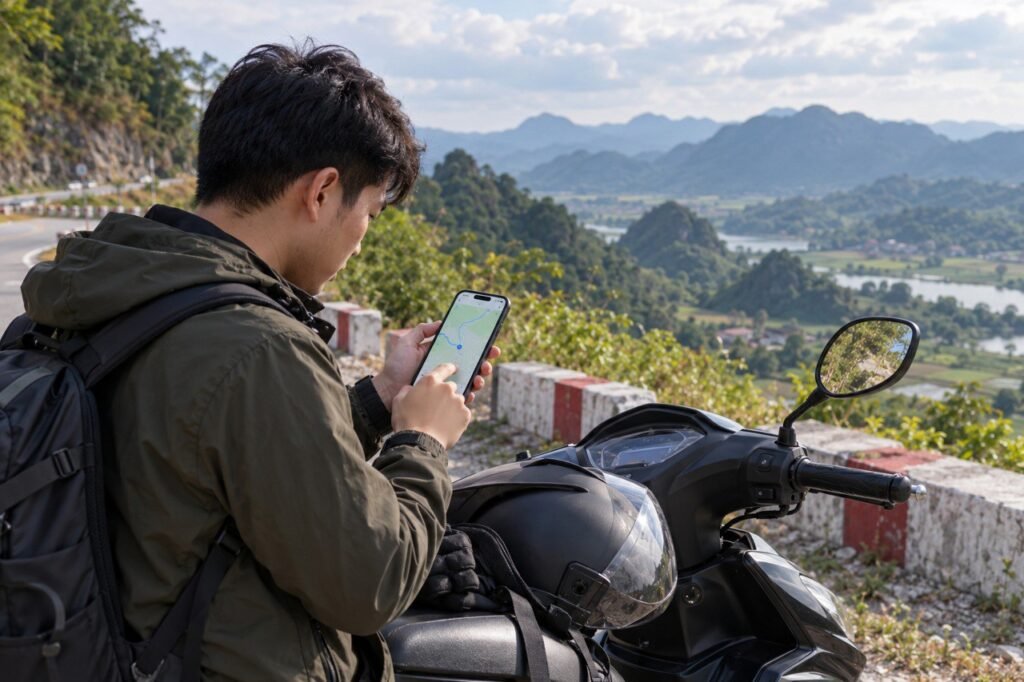
Live location sharing lets one or a few people see your phone’s position on a map, updating in real time, until the time limit you choose runs out or you switch it off. Unlike sending a single map pin, the position moves with you. Most map and messaging apps offer it; the menus differ, but the idea is the same.
Prepare the day before
- Give the app permission to use location, including in the background, or it may stop updating when the screen is locked.
- Choose someone you trust as the recipient and tell them how long you will share for.
- Set a time limit slightly longer than the expected ride, so sharing does not stop part-way.
- Test it at home: turn sharing on and ask the recipient to confirm they can see you.
- Send your planned route and arrival time as well, so they know when to worry rather than just watching a dot.
Turning it on: general steps
- Open the map or messaging app you normally use.
- Find the location-sharing option and choose the live or real-time type.
- Choose the duration, then the recipient.
- Confirm, and check that a sharing icon or notification appears.
When you stop somewhere safe, you can open it again to see who is receiving and how long is left. Do not adjust any of this while riding. If you are riding with others rather than alone, our guide to sharing live location on a group ride covers regrouping.
Keeping the battery going all day
Maps and live sharing both use a lot of battery, and you may have nowhere to charge on the way.
- Charge fully before leaving and carry a power bank and cable.
- Lower the screen brightness and close apps you do not need.
- Download offline maps for your area if the app allows, so you depend less on the signal.
- Be careful with battery saver: on some phones it limits background location. Test whether your phone still shares with it on.
- Keep the phone somewhere secure, such as a zipped pocket or a mount the shop has approved, and never hold it while riding.
As a last backup if the phone dies anyway, write your key contacts and addresses on paper; see emergency information to carry.
When the signal drops, do not rely on the dot
In the mountains, on empty coastal stretches or anywhere with few phone masts, your phone may not be able to send its position. The person at home then sees the dot stop where you lost signal, even though you are still riding. To avoid needless worry:
- Agree check-in points in advance, such as a short message at each big stop or on arrival.
- Explain beforehand that a still dot does not necessarily mean trouble, and agree how long they should wait before calling.
- Give them the rental shop’s name and number so they have a contact for the bike (the shop is open 09:00–21:00 daily).
- Share only with people you trust, and as few as possible.
- Switch sharing off when you arrive, so it does not keep showing where you are staying.
- After the trip, check the list of people who can still see your location.
- Avoid open-ended sharing when you only need it for one ride.
A simple plan for riding alone
- The day before: test sharing, download offline maps, charge the phone and power bank.
- Before setting off: message your route, departure and arrival times and check-in points.
- On the road: stop somewhere safe to look at the map or send messages.
- On arrival: message “arrived” and switch sharing off.
If something goes wrong on the road
Live sharing tells someone where you are, but it does not replace the calls you need to make. If anyone is injured, call 115 for an ambulance; for fire call 114; for police call 113. Then send your current location to the person at home with a short note about what has happened. For a problem with the bike itself, call the shop. Our guide to emergency numbers in Vietnam explains what to tell each operator.
A message template for the person at home
I am riding from [start] to [destination] today, leaving at [time] and expecting to arrive around [time]. I have shared my live location until [time]. I will message at [check-in points]. If the dot stops moving, I may just have no signal; if you have not heard from me by [time], call me, then call the rental shop on +84 334 699 969.
Message to send the shop
Hello Nguyen Ha, I am riding alone to [destination] on [date] and have given my family your number in case they cannot reach me. Is that fine, and is there anything you would like me to check on the bike before a long ride?
Frequently asked questions
Does live location sharing work without mobile signal?
No. Without signal the phone cannot send its position, so the dot freezes where you lost coverage. Agree check-in messages and a waiting time in advance.
Will battery saver stop location sharing?
On some phones it limits background location. Test your phone with battery saver on before relying on it.
Who should I share my location with?
One or two people you trust, for a limited time, and switch sharing off once you arrive.
Nguyen Ha Motorbike Rental: Ngõ 5 Nguyễn Văn Cừ, Bồ Đề, Long Biên, Hanoi, Vietnam, open 09:00–21:00 daily. Call +84 334 699 969 before a long solo ride to have the bike checked.